External Case Handler
Here we will explain the role and the possible authorities, as well as how to assign and handle the cases.
Introduction
With the External Case Handler role, it is possible to grant a partner user access to a case without assigning a specific task. Only users that have been marked for the role in their user profile by the insurance company can be assigned the External Case Handler role in a case. On portal level the role definition can be made to define what authority the external case handler should have. The external case handler will always have access to the chat, all documents and reported information in a case.
Define what the external case handler should be able to do
As for the roles Project Manager and Inspector with extra authority it is possible to define what actions the External Case Handler role should be able to do. The configuration is done by in4mo, based on information from the insurance company. The definition is made on portal level and applies to all users marked for the role. If the external case handler has the right to approve budgets, it is possible to define a specific approval limit for each individual user marked as external case handler.
The following rights can be given to the external case handler:
| Action | Explanation |
| Add and remove tasks | Tasks can be added and removed to get best setup for the case |
| Allocate partners to tasks | Tasks can be assigned based on the insurance company partner network and settings |
| Show office categories | The office categories that the insurance company has defined to secure optimal assignments, can be used when assigning tasks |
| Make compensation decision | Compensation decision in a case can be made as by an internal user |
| Make cash offer for all tasks | Gives the possibility to assign work items/tasks as cash offer (iCC) |
| Make cash offer before budget approval | Gives the possibility to assign work items/tasks as cash offer before the work is approved (iCC) |
| Add budget on behalf of other partners | If iCC is not used, the external case handler can add budgets for tasks assigned to other partners |
| Approve budget | Gives access to the cost control tab and the possibility to approve budgets up to the defined limit |
| Approve tasks | Gives access to mark tasks as completed (status 4->A) |
| Initiate and edit RFQ | Gives the possibility to send out RFQ invitations for repair tasks as well as to update and follow up until a decision must be made |
| Add new non-in4mo partners to RFQ | Gives access to add new non-in4mo partners when initiating an RFQ. These partners will not have direct access to in4mo and are only used for RFQ |
| Make decision in RFQ | Gives the possibility to decide the outcome of an RFQ |
| Access to customer communication | Gives access to sharing the customer page, share documents and read/send messages, depending on configurations. |
| Marked for chat notifications | If this feature is activated, the external case handler will automatically be marked for receiving a notification when a chat is written in the case, and it is not possible to remove this marking |
| Make cash offer for WI before budget approval | Gives the external case handler access to allocate work items to the customer’s own work before the work items have been approved |
| Start inspection | Gives access to start an inspection from the web portal |
Define Users for the Role
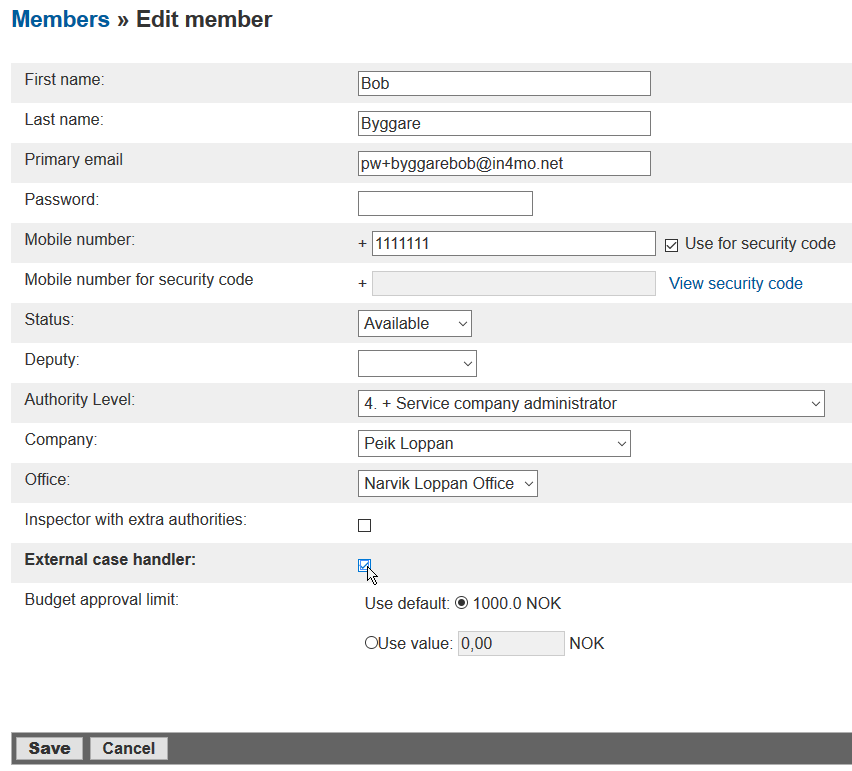
Open Company Admin -> Members and select Edit from the cogwheel for the wanted user. Tick the option for External case handler to give the user access as external case handler. It is also possible to give the user a specific budget approval limit that is different from the default limit, by selecting Other value and setting a value.
Assign the External Case Handler Role to an Office
Although the external case handler role is handled on user level, the external case handler role in a case is assigned to an office, just like regular tasks. Only offices that have at least one user with the role defined will show up in the selection list.
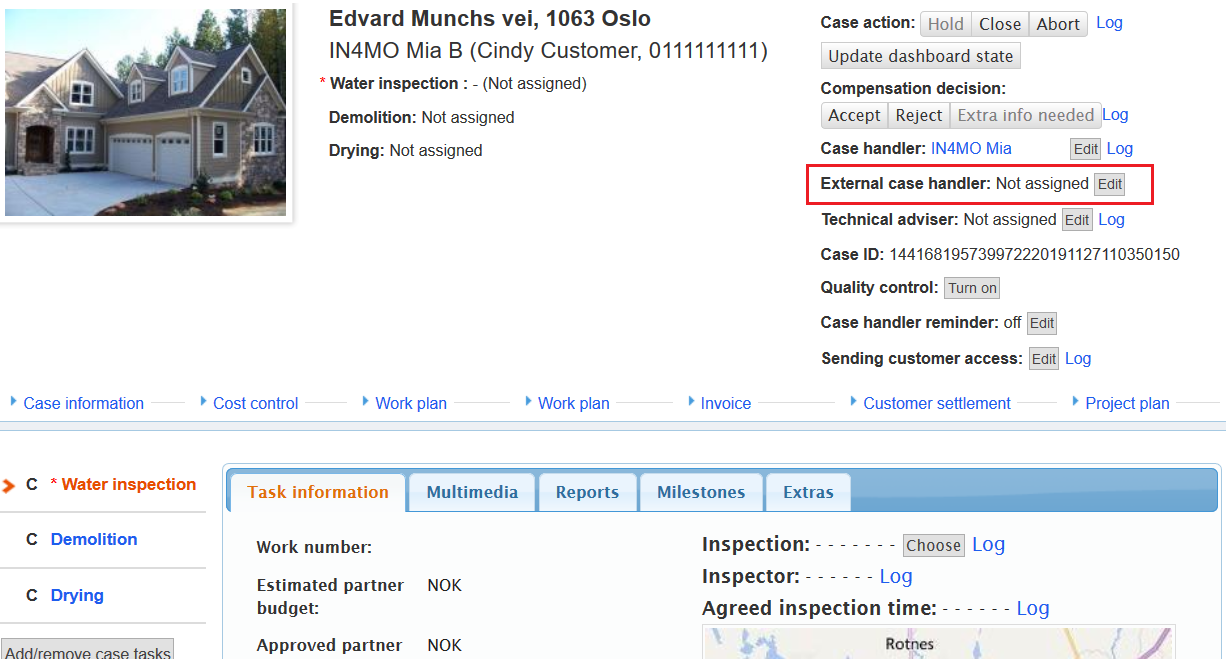
Select the wanted office, either from the recommended list that is sorted based on distance from the damage site or from the full list including all available offices.
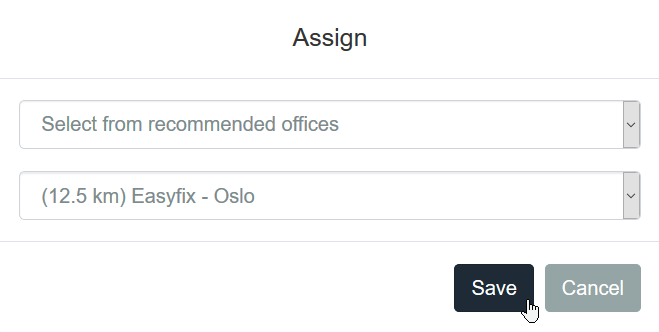
When the office is selected the supplier is informed that a user must be assigned for the role.
Assign the External Case Handler
As for regular tasks the supplier is responsible for assigning the responsible user. Only users that have been marked for the role by the insurance company can be selected as external case handler.
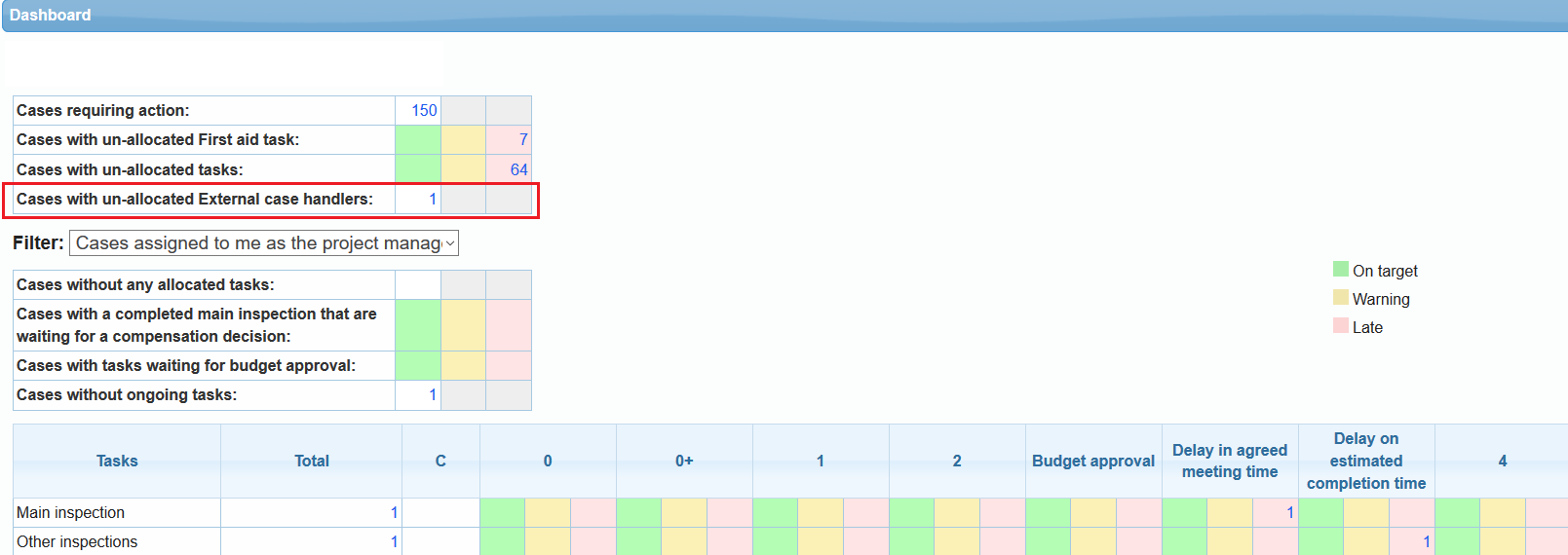
The supplier can follow up new assignments in the dashboard, where a new row is available specifically for the External case handler role, and in the case list, where it is shown with a red arrow and can be filtered with for example the Action required filter.
New cases with External case handler in the dashboard:
New cases with External case handler in the case list:

Open the case to assign the responsible user. Select the wanted External case handler either from the same office or any other available office.
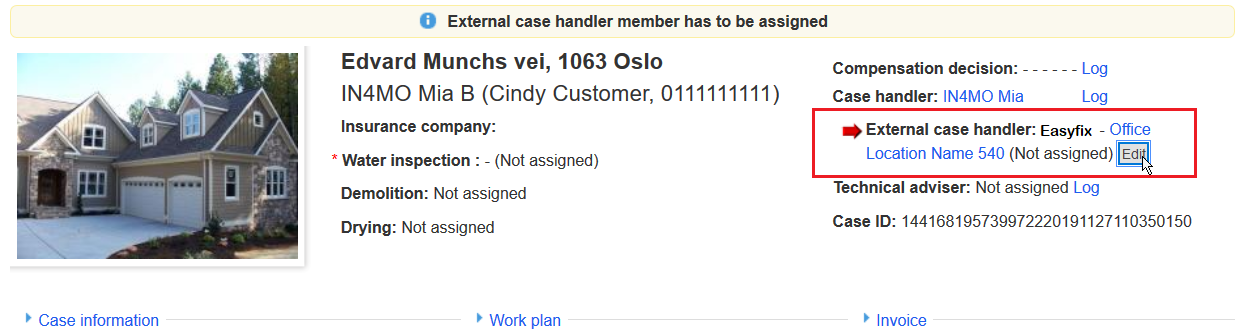

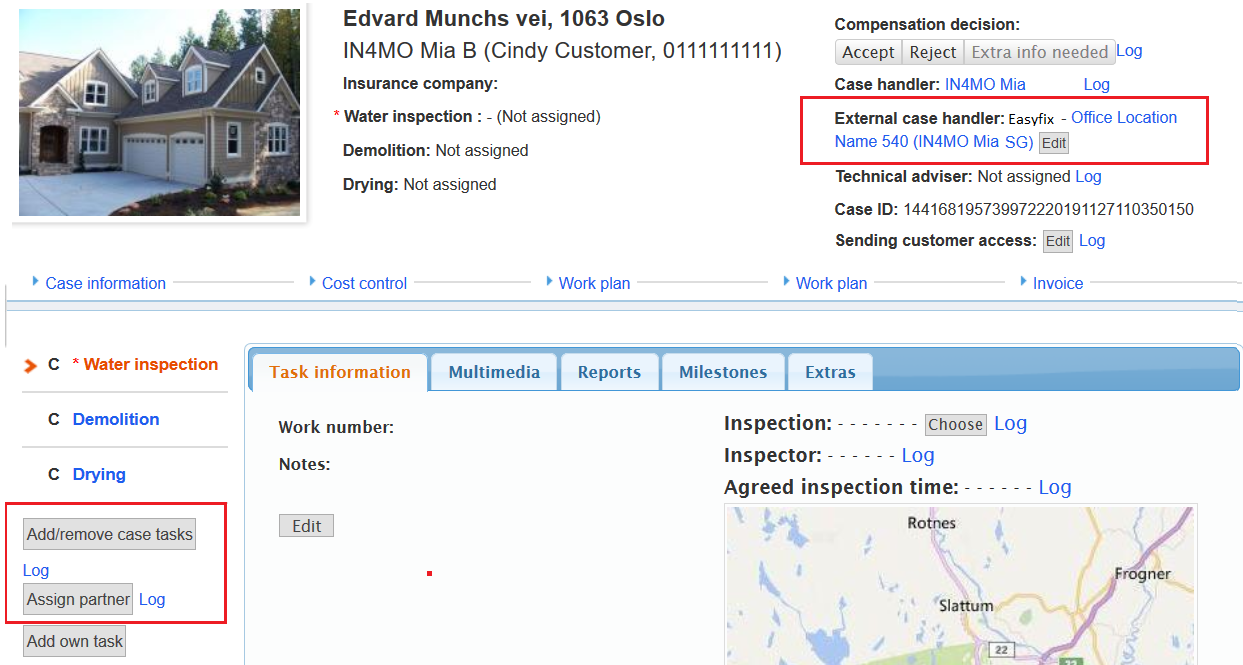
When the role is assigned to a user, the correct authorities will be applied for the specific user, for example the possibility to add and assign tasks (depending on portal settings, see first section).
Filters for External case handler
External case handlers can follow up their cases by using the dashboard as well as from the case list.
In the dashboard the filter Cases assigned to me as an External case handler is available as soon as the user is marked for the role in their user profile.

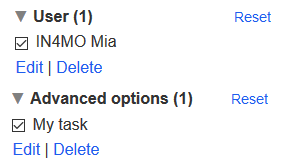
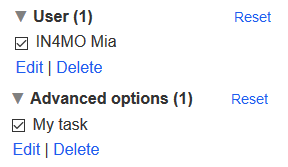
In the case list the filters User can be used to find the cases in which a specific user has been assigned the role. The filter My task helps specific users find the cases where they themselves have been assigned the role, and the filter Cases with External case handler shows all the cases that have an external case handler. Note that the User and My task filters also include other tasks assigned to the user if the user is assigned also to other tasks.

Statistics and reports
In the Case statistics report, available under Company admin -> Reports, a column shows the email address of the user assigned the role at the time of report generation.